

Video conferencing has become a key medium we use to communicate with each other when we work. With this in mind, it is worth learning how to make the most of it.
Here are our tips for communicating more effectively on platforms such as Zoom.
1. Test

By testing your video conferencing software before your meeting goes live, you’ll be better prepared to manage any technical challenges that may arise.
Whether you use Zoom, Microsoft Teams, Google Hangouts, Skype or something else, test its features until you are comfortable with the platform. Run a practice meeting with a friend and take the time to press all the buttons and explore the functions.
Run through some scenarios and test them so that you learn how to problem-solve if technical issues arise during a live meeting. For example, if you create a breakout room in Zoom, test what happens if the person in the breakout room exits the meeting and then attempts to re-enter.
This scenario testing will go a long way to giving you confidence the next time you run a meeting. If an issue arises that you have encountered in your test, you will know how to resolve the issue when it unfolds during a live meeting.
Our ethos is “measure twice, cut once.” If you apply this to your video conferencing, you’ll be prepared and confident.
2. Set Dress Your Background
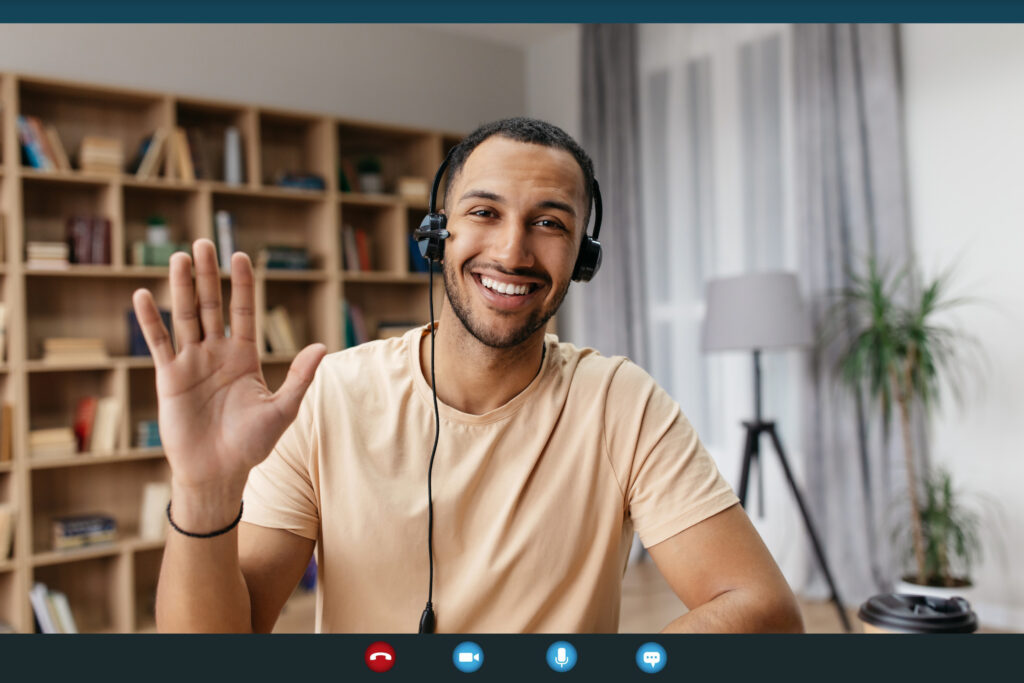
Consider that your background is a reflection of who you are. Take the time to tidy and ‘set dress’ it so that it speaks to your personality. However, do not overdo it: keep your background neat and not overly ‘busy’ as this can be distracting. Remember: the focus should be on you and what you have to say.
Similarly, if you use a virtual background choose an image that contains plenty of space so that it isn’t overly distracting.
If you like, you could get creative and choose an image that reflects your area of expertise. Or, use a background image that contains your organisation’s logo.
You may wish to place an object in the background that reflects you and your area of expertise. For example, if you are a doctor consider placing a small anatomical model behind you as part of your background.
3. Have Fun!

Don’t forget to be yourself when on camera: authenticity builds rapport with your audience. After all, authenticity is what audiences most appreciate in videos, particularly those consumed on social media1.
Also, remember to enjoy the experience! Experiment where you can, and smile when you’re on camera! In video communication it’s really important to convey who you are to the camera. So, be yourself and speak to the camera from a place of authenticity. If you are passionate about what you are talking about, this will come through to the audience and your message will be more memorable.
At the end of the day people won't remember what you said or did, they will remember how you made them feel.
Maya Angelou
4. Speaking Notes

Want To Keep Learning?
If you want to learn more, we have plenty of options. Check out our sister site where we host a range of free resources including templates and blogs. We also offer video skills training courses that you can do online, as well as tailored training options.
If you any questions, get in touch at any time.
References
-
Alvarez-Mitchell, M. (2024). Imperfect Is The New Perfect: The Rise Of Authenticity In Video Content. Forbes. https://www.forbes.com/councils/forbesagencycouncil/2024/10/10/imperfect-is-the-new-perfect-the-rise-of-authenticity-in-video-content/